gsm prime on-line frp android apps. Ever discovered your self watching a locked display screen, a forgotten password, or a tool stubbornly refusing to grant you entry? It is a irritating state of affairs, a digital roadblock that may really feel insurmountable. This exploration delves into the fascinating, generally shadowy, world of Manufacturing facility Reset Safety (FRP) and the instruments designed to navigate it. We’ll unravel the intricacies of GSM Prime’s position, look at the myriad of on-line assets and Android purposes promising options, and chart a course by means of the complexities of system unlocking.
From understanding the fundamentals of FRP to dissecting the interior workings of bypass apps, we’ll illuminate the trail to reclaiming your system. We’ll discover the professionals and cons of assorted strategies, from on-line platforms and apps to different strategies, all whereas maintaining a watchful eye on safety greatest practices. So, put together to embark on a journey by means of the digital labyrinth of FRP, the place we’ll equip you with the information to make knowledgeable choices and hopefully, regain management of your digital life.
Buckle up, it may be a trip!
Understanding GSM Prime and FRP (Manufacturing facility Reset Safety)

Let’s delve into the fascinating world of Android system safety, particularly specializing in the roles of GSM Prime and Manufacturing facility Reset Safety (FRP). These components play a vital half in securing your system and stopping unauthorized entry. We’ll discover how they work, their interplay, and the way GSM Prime positions itself inside this safety panorama.
GSM Prime’s Perform in Android Gadgets
GSM Prime, within the context of Android units, serves as a specialised instrument designed to work together with and probably modify the system’s software program. Its major operate entails unlocking or bypassing sure security measures, notably these associated to FRP. Consider it as a key that may open doorways which can be usually locked.
The Goal and Operation of FRP on Android Smartphones
Manufacturing facility Reset Safety (FRP) is a safety function carried out by Google in Android units, beginning with Android 5.1 Lollipop. Its objective is to guard your system and your knowledge within the occasion of theft or loss. When FRP is enabled, it prevents unauthorized customers from accessing the system after a manufacturing facility reset.The core operation of FRP is tied to the Google account related to the system.
- After a manufacturing facility reset, the system will immediate the person to confirm the Google account that was beforehand logged in.
- If the proper account credentials are supplied, the system unlocks and turns into accessible.
- If the person can’t present the proper account particulars, the system stays locked, successfully unusable.
This mechanism acts as a big deterrent towards system theft and unauthorized entry, because it renders the system ineffective to anybody who would not possess the unique Google account credentials. It’s a highly effective defend towards undesirable knowledge breaches.
Evaluating GSM Prime’s Function with Different FRP Bypass Strategies
GSM Prime, together with different instruments and strategies, goals to bypass FRP. The approaches fluctuate considerably of their complexity, effectiveness, and moral implications. Let’s evaluate some widespread methods.
- GSM Prime: Usually entails exploiting software program vulnerabilities or utilizing specialised firmware to avoid FRP. It could contain flashing particular information or utilizing software program instruments to change the system’s inside settings. The success charge relies upon closely on the system mannequin, Android model, and the precise bypass technique used.
- {Hardware}-Primarily based Strategies: This method can embrace bodily modifying the system, similar to connecting to check factors on the motherboard to entry the system’s firmware immediately. These strategies are usually extra advanced and require specialised tools and experience. They are often dangerous and probably injury the system if not executed accurately.
- Software program-Primarily based Strategies (With out GSM Prime): These strategies make the most of numerous software program instruments, similar to particular FRP bypass APKs (Android Package deal information) or exploit recognized vulnerabilities within the Android working system. The effectiveness of those strategies is commonly restricted by the Android model and safety patches put in on the system. They could require sideloading purposes or utilizing ADB (Android Debug Bridge) instructions.
You will need to perceive that bypassing FRP with out correct authorization could be unlawful and unethical. All the time guarantee you’ve the authorized proper to entry and use the system.
On-line Sources for FRP Removing
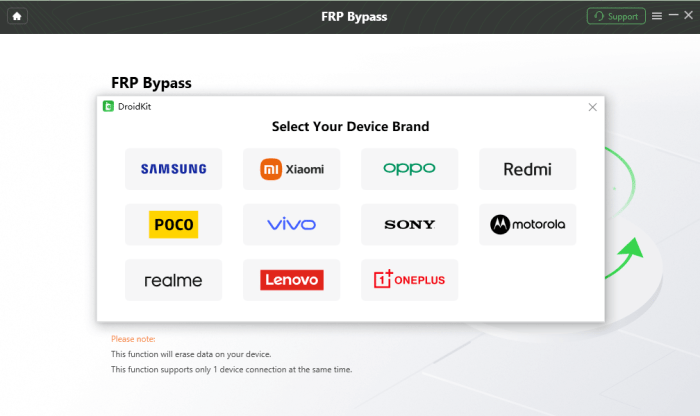
Navigating the digital panorama to bypass Manufacturing facility Reset Safety (FRP) can really feel like trekking by means of a jungle. Fortuitously, the web offers a wealth of assets to information you, from devoted web sites to bustling on-line communities. Nevertheless, not all paths are equally protected or efficient, so a discerning method is essential. Let’s discover the net assets obtainable, specializing in respected platforms and communities providing FRP removing options.
Figuring out Respected On-line Platforms and Boards
The hunt for FRP removing usually results in quite a lot of on-line locations. These vary from established boards with seasoned members to specialised web sites providing software program and tutorials. The secret is to differentiate between reliable sources and potential pitfalls. Search for platforms with lively person bases, clear directions, and constant constructive suggestions. Be cautious of internet sites that promise miraculous options or require extreme private info.A great start line is to hunt out established tech boards and communities.
These platforms usually host discussions on a variety of Android-related matters, together with FRP bypass. These boards steadily have devoted sections or threads the place customers share experiences, troubleshooting ideas, and hyperlinks to related instruments. The presence of moderators and a historical past of resolving points are sturdy indicators of a dependable neighborhood.One other avenue is to discover web sites specializing in Android system restore and unlocking.
These websites could provide FRP removing software program, detailed guides, and video tutorials. Nevertheless, all the time confirm the positioning’s credibility by checking person evaluations and impartial assessments. Beware of websites that promote unlawful actions or provide instruments that might probably hurt your system.
Examples of Web sites and Communities Offering Instruments and Guides for FRP Bypass
A number of on-line assets stand out as priceless sources of data and instruments for FRP removing. These platforms provide a variety of options, from software program downloads to step-by-step guides.* XDA Builders Discussion board: XDA Builders is a well-respected discussion board with an unlimited neighborhood of Android lovers. It incorporates a devoted part for Android system growth, together with threads on FRP bypass strategies for numerous units.
Members steadily share customized ROMs, rooting guides, and FRP removing instruments.
Descriptive Illustration
* Think about a vibrant discussion board web page with a clear format. The highest part prominently contains a search bar and navigation menus. Under this, threads are categorized by system mannequin and Android model, every with a title, the person who posted, and the date of the final reply. The threads are crammed with detailed directions, screenshots, and hyperlinks to obtain instruments.
Android Authority
This web site offers complete guides and tutorials on numerous Android-related matters, together with FRP bypass. Their articles are usually well-researched and embrace step-by-step directions with accompanying screenshots.
Descriptive Illustration
* Visualize a web site article with a transparent, easy-to-read format. The article title is outstanding, adopted by an in depth introduction. The physique of the article consists of numbered steps, every with clear explanations and illustrative screenshots. The article concludes with a abstract and hyperlinks to associated assets.
GSM-Prime (Particular Guides)
This platform, particularly recognized for offering guides, could embrace detailed tutorials and software program downloads to take away FRP from numerous Android units.
Descriptive Illustration
* An internet site with a clear interface is proven. The web page is designed with clear sections and step-by-step directions accompanied by photographs to facilitate the method.
YouTube Channels (Tutorials)
Quite a few YouTube channels provide video tutorials on FRP bypass. These movies usually display the method visually, making them accessible to customers of all talent ranges.
Descriptive Illustration
* The illustration is a screenshot of a YouTube video tutorial. The video exhibits an individual utilizing a pc and an Android system. The display screen shows the Android system’s settings, whereas the pc display screen exhibits the steps being carried out. The video has clear audio directions and on-screen textual content to information the viewer.
Desk: Execs and Cons of Utilizing On-line FRP Removing Sources
Using on-line assets for FRP removing presents each benefits and drawbacks. This desk offers a balanced perspective, outlining the potential advantages and disadvantages of utilizing these platforms.
| Execs | Cons | Issues |
|---|---|---|
| Accessibility: Many assets are freely obtainable and accessible to anybody with an web connection. | Safety Dangers: Downloading software program from untrusted sources can expose your system to malware and viruses. | All the time scan downloaded information with a good antivirus program earlier than set up. |
| Number of Options: On-line platforms provide a variety of FRP removing strategies, catering to completely different system fashions and Android variations. | Effectiveness Varies: Not all options work for all units, and a few strategies could also be outdated or ineffective. | Analysis the precise technique in your system mannequin and Android model earlier than trying a bypass. |
| Group Assist: Boards and communities present a platform for customers to share experiences, troubleshoot points, and search help. | Potential for Bricking: Incorrectly following directions or utilizing incompatible instruments can probably “brick” your system, rendering it unusable. | Rigorously learn and perceive the directions earlier than continuing. Again up your knowledge every time doable. |
| Value-Effectiveness: Many on-line assets provide free or low-cost FRP removing options, avoiding the necessity for costly skilled companies. | Legality Issues: Utilizing FRP removing instruments on units that aren’t legitimately owned could violate native legal guidelines and laws. | Guarantee you’ve authorized possession of the system earlier than trying to take away FRP. |
Android Apps for FRP Bypass
Navigating the digital panorama of Android units, encountering the Manufacturing facility Reset Safety (FRP) function can generally really feel like stumbling upon a locked treasure chest. Whereas designed to safeguard person knowledge, there are eventualities the place respectable customers discover themselves locked out of their very own units. Consequently, quite a lot of Android purposes have emerged, providing potential options for bypassing FRP. Nevertheless, approaching these purposes requires cautious consideration of their capabilities, options, and the inherent safety implications concerned.
Android Functions for FRP Bypass: Overview
The market gives a variety of purposes tailor-made to FRP bypass. These apps, usually obtainable by means of third-party web sites and sideloading, declare to supply options for regaining entry to locked units.This is an inventory of some generally encountered Android purposes used for FRP bypass:
- GSM Flasher Device: A well-liked alternative, GSM Flasher Device, usually entails connecting the Android system to a pc and utilizing the software program to flash a modified firmware or exploit vulnerabilities inside the present system to disable FRP.
- UnlockTool: UnlockTool offers a complete suite of options, together with FRP bypass performance, and helps a wide selection of Android system fashions.
- Octoplus FRP Device: Recognized for its in depth system help, Octoplus FRP Device is one other software usually used to avoid FRP restrictions.
- Miracle Field: Miracle Field is a flexible instrument that usually consists of FRP bypass capabilities alongside different cell system restore and upkeep options.
- Samsung FRP Helper: Particularly designed for Samsung units, Samsung FRP Helper goals to simplify the FRP bypass course of for this model.
- RealTerm: RealTerm is a serial communication program that, when used with particular ADB instructions and exploits, can generally be used to bypass FRP.
- SideSync (for older Samsung units): For some older Samsung fashions, SideSync, a software program that facilitates system mirroring, might be leveraged to bypass FRP by accessing the system’s settings.
Widespread Options Present in FRP Bypass Apps
FRP bypass purposes, whereas various of their particular functionalities, typically share a set of widespread options. Understanding these options may help customers assess the potential of every instrument.
- ADB (Android Debug Bridge) Assist: Many FRP bypass instruments make the most of ADB, a command-line instrument, to speak with the Android system. This enables the appliance to ship instructions and manipulate the system’s system information.
- Firmware Flashing Capabilities: Some purposes provide the flexibility to flash modified firmware or customized restoration photographs onto the system. This can be utilized to overwrite the FRP settings or set up a modified system that circumvents the safety.
- Exploitation of Vulnerabilities: Sure FRP bypass instruments exploit recognized vulnerabilities within the Android working system or particular system fashions. This will contain utilizing exploits to achieve entry to the system’s system information or disable FRP.
- Machine Mannequin Detection: Most FRP bypass purposes have the flexibility to detect the linked Android system’s mannequin. That is essential for choosing the suitable bypass technique, as the method varies relying on the system producer and mannequin.
- One-Click on Bypass Choices: Some purposes provide “one-click” options, simplifying the FRP bypass course of for much less technically savvy customers. These choices automate the method, guiding customers by means of the required steps.
- Assist for Numerous Android Variations: A essential function is the flexibility to help completely different Android variations. As Android updates, FRP bypass strategies should adapt to stay efficient.
- Person Interface: A user-friendly interface is crucial, notably for these unfamiliar with advanced Android system modifications. Clear directions and visible cues information customers by means of the method.
Safety Implications of Utilizing FRP Bypass Functions
Using FRP bypass purposes carries vital safety dangers that customers should rigorously contemplate.The inherent safety dangers of utilizing FRP bypass purposes embrace:
- Malware and Trojans: Many FRP bypass instruments are sourced from untrusted web sites. These instruments could include malware, Trojans, or different malicious software program that may compromise the person’s system, steal knowledge, or set up undesirable purposes. Contemplate the potential for hidden payloads in seemingly respectable software program. For instance, a seemingly innocent FRP bypass instrument would possibly, within the background, be harvesting person credentials or putting in a keylogger.
- Machine Instability and Bricking: Incorrect use of FRP bypass instruments, notably these involving firmware flashing or system modifications, can result in system instability or “bricking,” rendering the system unusable. The danger is heightened when utilizing instruments that aren’t particularly designed for the system mannequin or Android model.
- Information Breaches: If an FRP bypass instrument incorporates malicious code, it might probably expose the person’s private knowledge, together with contacts, photographs, and different delicate info. Contemplate the potential for a compromised instrument to add person knowledge to a distant server.
- Voiding Guarantee: Utilizing unofficial FRP bypass strategies will usually void the system’s guarantee. Which means that the producer is not obligated to supply help or restore the system if it malfunctions.
- Authorized Implications: In some jurisdictions, bypassing FRP on a tool that doesn’t belong to the person could also be unlawful. All the time guarantee that you’ve the authorized proper to entry and modify the system.
- Safety Vulnerabilities: The very act of bypassing FRP can introduce new safety vulnerabilities. For example, a modified system is perhaps much less immune to different assaults, making the system extra prone to malware or different threats.
Process: Utilizing FRP Bypass Apps
Alright, let’s get right down to brass tacks and speak about the way you actuallyuse* these FRP bypass apps we have been chatting about. Consider it like a treasure hunt, however as an alternative of a map, you’ve got bought an app, and the treasure is your unlocked telephone. This course of, whereas seemingly easy, generally throws curveballs. So, buckle up, and let’s get this present on the highway.
Step-by-Step Information: FRP Bypass App Utilization
Utilizing an FRP bypass app usually entails a couple of key steps. Every app may need its quirks, however the basic circulate is fairly constant. It is like studying to trip a motorbike – when you get the cling of it, you will be bypassing FRP like a professional.This is a breakdown of the standard course of, designed to be as clear as a freshly cleaned display screen:
- Obtain and Set up the App: You will have to get the FRP bypass app onto your telephone. Since you’ll be able to’t entry the Google Play Retailer (that is the issue, proper?), you will often have to sideload it. This implies downloading an APK file (Android Package deal Equipment) from a supply you belief and putting in it immediately. Consider it as a backdoor into your telephone. Guarantee you’ve enabled “Set up from Unknown Sources” in your telephone’s settings (often discovered within the Safety or Privateness settings).
- Hook up with Wi-Fi: Ensure your telephone is linked to a Wi-Fi community. That is essential as a result of the app will seemingly want an web connection to work its magic, accessing on-line assets or probably downloading further information. With out Wi-Fi, you are useless within the water.
- Launch the App: As soon as put in, discover the app icon (it may need a generic identify or be branded). Faucet it to launch the app.
- Comply with the App’s Directions: That is the place issues can fluctuate a bit relying on the precise app. The app will information you thru the subsequent steps. These often contain:
- Deciding on Your Android Model: The app would possibly ask you to specify the Android model working in your telephone. Selecting the mistaken model can result in failure, so be sure to know your telephone’s Android model. You may often discover this info within the “About Telephone” part of your telephone’s settings.
- Bypassing FRP: The app will often present a button or choice to start out the FRP bypass course of. This would possibly contain tapping a button that claims “Bypass FRP,” “Take away FRP,” or one thing related.
- Navigating to Settings: The app would possibly information you to open your telephone’s settings. The aim right here is often to get to the “Accounts” part so as to add a brand new Google account, successfully bypassing the FRP lock.
- Add a New Google Account: As soon as within the “Accounts” part, add a brand new Google account. That is the account that may now be related along with your telephone. You may both sign up with an present account or create a brand new one.
- Restart Your Machine: After including the account, restart your telephone. This can be a essential step to make sure the modifications take impact.
- Confirm FRP Bypass: After restarting, your telephone ought to boot up usually, bypassing the FRP lock. You need to have the ability to entry your telephone and use it as traditional. You is perhaps prompted to arrange your Google account in the course of the preliminary setup course of; that is regular.
Troubleshooting: What to Do When Issues Go Flawed
Not each FRP bypass try is a stroll within the park. Generally, you will hit a snag. However do not despair! This is a troubleshooting information that will help you navigate these tough conditions. Consider this as your telephone’s emergency toolkit.Listed here are some widespread issues and the best way to sort out them:
- App Does not Work: The app would possibly fail to bypass FRP.
- Resolution: Strive a distinct FRP bypass app. There are various obtainable, and a few work higher than others on particular units or Android variations. Analysis and take a look at a couple of completely different choices.
- Android Model Incompatibility: The app won’t help your telephone’s Android model.
- Resolution: Double-check the app’s compatibility record. If it would not help your model, seek for an app that does. Additionally, contemplate attempting older or newer variations of the app if obtainable. Generally, a barely older model works higher.
- Sideloading Points: You may need bother sideloading the app.
- Resolution: Guarantee you’ve enabled “Set up from Unknown Sources” in your telephone’s settings. When you nonetheless cannot set up the app, be sure the APK file will not be corrupted and that you’ve sufficient space for storing in your telephone. Contemplate downloading the APK from a distinct, trusted supply.
- App Will get Caught: The app would possibly get caught in the course of the bypass course of.
- Resolution: Restart your telephone and take a look at once more. Generally, a easy restart can clear up any non permanent glitches. If it continues to get caught, strive a distinct app or technique.
- Account Verification Points: You would possibly encounter issues including a brand new Google account.
- Resolution: Guarantee you’ve a secure Wi-Fi connection. Double-check that you’re coming into your Google account credentials accurately. If you’re creating a brand new account, be sure to fill in all of the required info.
- Telephone Nonetheless Locked: After restarting, your telephone would possibly nonetheless be locked.
- Resolution: Strive restarting your telephone once more. If that does not work, undergo the bypass course of once more, rigorously following every step. If all else fails, contemplate looking for skilled assist from a telephone restore store or a specialist who offers with FRP bypass. They could have extra superior instruments and strategies.
Keep in mind, persistence and persistence are key. FRP bypass could be tough, however with the best method and a little bit of troubleshooting, you’ll be able to often get your telephone unlocked.
Compatibility and Machine Assist
Navigating the world of FRP bypass apps means understanding their limitations. Not each app works on each system, and compatibility varies primarily based on a number of components. Realizing which apps help which Android variations and system fashions is essential for a profitable FRP removing try. This part will delve into the intricacies of compatibility, offering a transparent overview of supported units and the explanations behind these limitations.
Android Variations and Machine Mannequin Assist
The success of any FRP bypass app hinges on its potential to work together with the system’s working system and safety protocols. Android variations play a big position on this interplay. Older variations have completely different safety measures in comparison with newer ones. Equally, system fashions, which frequently have personalized software program and {hardware}, can additional complicate the method.This is a breakdown of the standard help panorama:
- Android Variations: Most FRP bypass apps goal a selected vary of Android variations. For example, some apps is perhaps efficient on Android 6.0 (Marshmallow) to Android 9.0 (Pie), whereas others deal with newer variations like Android 10 (Q) to Android 12 (Snow Cone). Newer apps are continually rising to deal with the safety updates within the newest Android releases, similar to Android 13 (Tiramisu) and Android 14 (Upside Down Cake).
- Machine Fashions: Machine producers like Samsung, Google, Xiaomi, and others implement their very own safety measures and customized person interfaces (like One UI for Samsung). Consequently, an app designed for Samsung units won’t work on a Google Pixel or a Xiaomi telephone.
- Chipsets: The chipset (e.g., Qualcomm Snapdragon, MediaTek, Exynos) inside a tool additionally influences compatibility. Some FRP bypass strategies exploit vulnerabilities particular to sure chipsets.
Compatibility Info Desk
As an example compatibility, here’s a desk that gives examples of FRP bypass apps and their basic help:
| App Title | Supported Android Variations | Typical Supported Machine Manufacturers | Notes |
|---|---|---|---|
| GSM Flasher Device | Android 6.0 – Android 12 | Samsung, LG, Motorola | Could require particular drivers and ADB entry. |
| FRP Bypass APK | Android 5.0 – Android 11 | Samsung, Huawei, Xiaomi | Typically depends on side-loading APK information. |
| RealTerm | Android 4.0 – Android 7.0 | Primarily older units | Makes use of AT instructions to entry the system. |
| UnlockTool | Android 8.0 – Android 14 | Wide selection of manufacturers, together with Samsung, Xiaomi, Oppo, Vivo, Realme, and many others. | Presents paid companies, usually offering extra complete help. |
This desk offers a snapshot of the overall compatibility. Needless to say particular system fashions inside these manufacturers and Android variations could have various success charges.
Components Influencing Compatibility
A number of components decide whether or not an FRP bypass instrument will operate accurately on a selected system.
- Android Safety Patch Stage: Android updates embrace safety patches that shut vulnerabilities exploited by FRP bypass apps. A tool with the most recent safety patches is perhaps proof against sure bypass strategies.
- Machine Firmware: The precise firmware model (the software program working on the system) can affect compatibility. Customized ROMs or modified firmware may have an effect on the method.
- Producer’s Safety Measures: Samsung, for instance, has carried out strong security measures that make FRP bypass more difficult. Different producers have their very own proprietary strategies to forestall unauthorized entry.
- App Updates: FRP bypass apps are constantly up to date to deal with new safety measures and develop compatibility. Utilizing an outdated model of an app would possibly result in failure.
- Person Error: Incorrectly following the app’s directions, not offering the required permissions, or not connecting the system correctly may result in failure.
Understanding the interaction of those components is essential for choosing the best FRP bypass instrument and growing the chance of success.
Dangers and Issues
Venturing into the world of FRP bypass apps is akin to navigating a minefield. Whereas these instruments provide a seemingly handy answer, they arrive with a number of potential risks that demand cautious consideration. Continuing with out consciousness is like strolling blindfolded; the results could be vital.
Potential Dangers of Utilizing FRP Bypass Apps, Gsm prime on-line frp android apps
Using FRP bypass purposes carries inherent dangers that may vary from minor inconveniences to extreme safety breaches. It is important to grasp these dangers earlier than trying any bypass process.
- Malware An infection: Many FRP bypass apps are sourced from untrusted web sites or repositories. Downloading and putting in these apps can expose your system to malware, viruses, and different malicious software program. These threats can compromise your private knowledge, steal your credentials, and even render your system unusable. Think about your telephone abruptly displaying unusual pop-ups or behaving erratically – a transparent signal of an infection.
- Information Loss: The FRP bypass course of could contain resetting your system or modifying system information. These actions can result in knowledge loss, together with photographs, movies, contacts, and different vital info. All the time again up your knowledge earlier than trying any FRP bypass process. Contemplate it like emptying your pockets earlier than a rollercoaster trip – you would not need to lose your keys!
- Machine Instability: Modifying the Android working system may cause system instability. This will manifest as frequent crashes, boot loops (the place the system constantly restarts), or different efficiency points. In some instances, these points can brick your system, making it unusable.
- Guarantee Voiding: Utilizing FRP bypass apps usually violates the phrases of your system’s guarantee. In case your system experiences points after a bypass try, the producer could refuse to supply help or repairs. This implies you is perhaps caught with a non-functional system and no recourse.
- Safety Vulnerabilities: Bypass apps could introduce safety vulnerabilities to your system. This might make your system prone to hacking, unauthorized entry, and knowledge breaches. It is like leaving your entrance door unlocked – inviting bother.
Authorized and Moral Implications of Bypassing FRP
Past the technical dangers, bypassing FRP raises vital authorized and moral considerations. Understanding these implications is essential for making knowledgeable choices.
- Violation of Phrases of Service: Bypassing FRP usually violates the phrases of service of each the system producer and the working system supplier (Google). This will result in authorized motion in excessive instances, although that is uncommon.
- Unauthorized Entry: If the system would not belong to you, bypassing FRP constitutes unauthorized entry to another person’s property. This can be a critical offense with potential authorized repercussions.
- Moral Issues: Utilizing FRP bypass apps to entry a tool that is not yours raises moral questions. It is vital to think about the potential hurt you possibly can inflict on the system proprietor, similar to accessing their private knowledge or compromising their privateness.
- Potential for Legal Exercise: FRP bypass instruments can be utilized for malicious functions, similar to accessing stolen units or eradicating safety measures from units used for unlawful actions. This can be a critical offense that can lead to prison expenses.
Warning: Using FRP bypass instruments is undertaken at your personal danger. GSM Prime and its associates aren’t chargeable for any injury, knowledge loss, or authorized penalties arising from using these instruments. All the time again up your knowledge and proceed with warning. Guarantee you’ve the authorized proper to entry the system earlier than trying any FRP bypass process.
Alternate options to FRP Bypass Apps
Navigating the complexities of FRP removing extends past the comfort of apps. Whereas FRP bypass apps provide a readily accessible answer, different strategies present completely different approaches, every with its personal set of strengths and weaknesses. Understanding these options is essential for a complete understanding of FRP removing and permits for a extra knowledgeable resolution primarily based on the precise circumstances.
Evaluating FRP Bypass Apps with Firmware Flashing
Firmware flashing presents a stark distinction to the app-based method. As a substitute of exploiting vulnerabilities inside the present Android system, this technique entails rewriting the system’s working system solely. This course of could be extra concerned however gives a extra everlasting and sometimes extra dependable answer.
- FRP Bypass Apps: These apps are typically faster and simpler to make use of. They usually exploit recognized vulnerabilities in older Android variations or particular system fashions. Their predominant benefit lies of their simplicity, requiring minimal technical experience. Nevertheless, they’re usually model-specific, and their effectiveness diminishes as Android safety updates are launched, patching the vulnerabilities they depend on.
- Firmware Flashing: This entails putting in a brand new model of the Android working system. This might be a inventory firmware (the unique software program from the producer) or a customized ROM. Flashing often entails utilizing a pc and specialised software program, similar to Odin for Samsung units or Fastboot for others. It may be a extra concerned course of and carries the next danger if not carried out accurately, probably resulting in a “bricked” system (rendered unusable).
Nevertheless, it’s a extra complete answer, usually bypassing FRP completely, and is much less reliant on particular vulnerabilities. It additionally permits for the set up of a more moderen, probably safer, working system.
Benefits and Disadvantages of Various FRP Removing Strategies
Past app-based options, a number of different strategies exist, every providing a distinct stability of advantages and disadvantages. These options vary from software-based options to hardware-based approaches, catering to numerous ranges of technical experience and system fashions.
- Benefits of Various Strategies:
- Increased Success Price: Firmware flashing and different superior strategies usually have the next success charge, particularly on newer units or these with up to date safety patches.
- Everlasting Resolution: These strategies steadily present a extra everlasting answer, as they modify the system’s core software program.
- Wider Machine Compatibility: Some strategies are relevant throughout a broader vary of units in comparison with app-based options, which are sometimes model-specific.
- Disadvantages of Various Strategies:
- Complexity: Various strategies usually require the next stage of technical experience and familiarity with system flashing procedures.
- Threat of Bricking: Improper flashing or using incorrect firmware can probably “brick” the system, rendering it unusable.
- Time-Consuming: The method could be extra time-consuming in comparison with the short execution of an FRP bypass app.
{Hardware} Instruments and Providers for FRP Removing
For these going through persistent FRP points or dealing with a big quantity of units, specialised {hardware} instruments {and professional} companies provide superior options. These choices usually present a extra dependable and streamlined method, particularly for advanced or closely secured units.
- {Hardware} Instruments:
- USB Dongles: These are small, specialised units that hook up with the telephone by way of USB. They usually include pre-loaded software program or exploit code to bypass FRP. Examples embrace instruments from manufacturers like UMT (Final Multi Device) and MRT (Miracle Reset Device).
- JTAG Bins: JTAG (Joint Take a look at Motion Group) bins are used for low-level entry to the system’s inside parts. They can be utilized to learn and write on to the system’s reminiscence, bypassing FRP and different security measures. These instruments are usually utilized by skilled technicians.
- Desoldering Tools: Superior strategies would possibly contain desoldering the eMMC chip (the system’s storage) to immediately entry and modify the info. This requires specialised tools and experience.
- Skilled Providers:
- Cell Restore Retailers: Many cell restore retailers provide FRP removing companies. They usually make the most of the {hardware} instruments talked about above or specialised software program. Costs and success charges fluctuate relying on the system mannequin and the store’s experience.
- On-line Unlocking Providers: A number of on-line companies provide distant FRP removing. These companies often require the IMEI variety of the system and should contain offering distant entry to the system. The reliability and legitimacy of those companies fluctuate, so thorough analysis and warning are suggested.
Safety Greatest Practices
Retaining your Android system safe is paramount, particularly when navigating the complexities of FRP. Proactive measures are essential to reduce the chance of being locked out of your system and to guard your private knowledge. This part focuses on important practices to safeguard your system and knowledge.
Stopping FRP Lockouts
Avoiding FRP lockouts begins with understanding the triggers and implementing preventative measures. This entails extra than simply remembering your Google account credentials; it requires a complete method to system safety.
- Safe Your Google Account: Guarantee your Google account is protected with a robust, distinctive password and two-factor authentication. Repeatedly evaluation your account exercise for any suspicious logins or unauthorized modifications.
- Allow Display screen Lock: All the time use a display screen lock (PIN, password, sample, or biometric) to forestall unauthorized entry to your system. That is the primary line of protection towards undesirable use.
- Perceive Manufacturing facility Reset Triggers: Pay attention to the actions that may set off an FRP lock, similar to performing a manufacturing facility reset by means of the restoration menu or flashing a customized ROM. Solely carry out these actions if you’re sure you understand your Google account credentials.
- Maintain Your Machine Up to date: Repeatedly replace your Android working system and safety patches. Updates usually embrace essential safety fixes that may shield towards vulnerabilities exploited by malicious actors.
- Keep away from Suspicious Downloads: Be cautious when downloading apps from sources aside from the Google Play Retailer. These apps might include malware that compromises your system and probably triggers an FRP lockout.
- Common Information Backups: Create common backups of your system knowledge, together with contacts, photographs, movies, and paperwork. Backups are invaluable in case of knowledge loss as a result of a manufacturing facility reset or different unexpected circumstances.
Backing Up Machine Information
Information loss generally is a vital setback, so having a dependable backup technique is crucial. A number of strategies could be employed to again up your system knowledge, making certain you’ll be able to restore your info if wanted.
- Google Account Backup: Android units robotically again up sure knowledge (contacts, calendar occasions, app knowledge) to your Google account. Confirm that this function is enabled in your system settings.
- Utilizing Constructed-in Backup Options: Most Android units have built-in backup options that mean you can again up your knowledge to your inside storage or an exterior storage system. These options can usually again up your photographs, movies, paperwork, and settings.
- Cloud Storage Providers: Make the most of cloud storage companies like Google Drive, Dropbox, or OneDrive to again up your information. These companies present off-site storage and easy accessibility to your knowledge from any system.
- Third-Social gathering Backup Apps: Discover third-party backup apps obtainable on the Google Play Retailer. These apps usually provide extra superior backup choices, similar to backing up particular app knowledge or scheduling automated backups.
- Handbook Backups: For essential knowledge, contemplate performing handbook backups to your pc. Join your system to your pc by way of USB and replica vital information to a safe location.
Verifying FRP Bypass App Authenticity
Using FRP bypass apps carries dangers, and it is essential to train excessive warning when downloading and putting in them. Verifying the authenticity of an app is significant to guard your system from malware and different safety threats.
- Obtain from Respected Sources: Every time doable, obtain FRP bypass apps from trusted sources, similar to well-known tech web sites or boards. Keep away from downloading from unknown or suspicious web sites.
- Test App Opinions and Scores: Learn app evaluations and rankings from different customers to get an thought of the app’s reliability and security. Be cautious of apps with persistently unfavorable evaluations or a low score.
- Study App Permissions: Rigorously evaluation the app permissions requested by the FRP bypass app. Be cautious of apps that request extreme or pointless permissions, similar to entry to your contacts or location.
- Scan for Malware: Use a good antivirus app to scan the FRP bypass app earlier than set up. This may help detect and take away any potential malware or safety threats.
- Analysis the Developer: Analysis the developer of the app to evaluate their credibility. Search for details about their background, expertise, and status within the Android growth neighborhood.
- Confirm App Integrity: After downloading the app, examine its digital signature to make sure that it hasn’t been tampered with. This may help confirm that the app is genuine and hasn’t been modified by malicious actors.
Future Tendencies and Developments
The world of Android safety is continually evolving, with Manufacturing facility Reset Safety (FRP) on the forefront of this dynamic panorama. As expertise advances and threats develop into extra refined, the strategies used to safe units, and the methods round these securities, are additionally in a state of perpetual change. This part delves into the rising traits, the affect of Android updates, and the anticipated way forward for FRP bypass strategies.
Rising Tendencies in FRP Safety Measures
FRP is not a static function; it is a shifting goal, adapting to the ingenuity of these trying to avoid it. Safety researchers and builders are frequently exploring new methods to strengthen FRP, resulting in a number of rising traits.
- Biometric Authentication Integration: Fashionable Android units are more and more incorporating biometric authentication strategies, similar to fingerprint scanners and facial recognition, immediately into the FRP course of. This provides an additional layer of safety, making it more durable for unauthorized customers to bypass FRP, even when they’ve bodily entry to the system. For instance, a stolen telephone is perhaps not possible to unlock if the unique proprietor’s fingerprint is required for manufacturing facility reset.
- Enhanced {Hardware}-Stage Safety: Producers are specializing in hardware-level safety measures to guard towards FRP bypass. This consists of incorporating safe boot processes, Trusted Execution Environments (TEEs), and safe enclaves. These options make it harder to tamper with the system’s firmware or bootloader, that are widespread factors of entry for FRP bypass strategies.
- AI-Powered Safety: Synthetic intelligence and machine studying are getting used to detect and forestall FRP bypass makes an attempt. AI algorithms can analyze person habits patterns and system utilization to determine suspicious actions which may point out an try to avoid FRP. If an AI detects uncommon exercise, it might set off further safety measures or block the bypass try.
- Cloud-Primarily based Safety: Cloud companies are enjoying a bigger position in FRP. Gadgets can now talk with cloud servers to confirm the proprietor’s identification and system standing earlier than permitting a manufacturing facility reset. This method may help forestall unauthorized customers from resetting a tool, even when they’ve bodily entry. That is much like what number of trendy on-line banking programs make the most of cloud-based safety to forestall fraud.
- Common Safety Audits and Bug Bounties: Producers are investing in common safety audits and bug bounty packages to determine and deal with vulnerabilities of their FRP implementations. These initiatives encourage safety researchers to search out and report weaknesses, permitting producers to patch them earlier than they are often exploited.
Affect of Android Updates on FRP Bypass Strategies
Android updates have a big affect on the effectiveness of FRP bypass strategies. Every new model of Android usually consists of safety patches that shut vulnerabilities exploited by present bypass strategies.
- Patching Recognized Vulnerabilities: Android updates steadily patch the safety holes utilized by FRP bypass strategies. For example, if a selected app or course of is used to bypass FRP, a subsequent replace could take away or disable that app, rendering the bypass technique ineffective.
- Strengthening Safety Protocols: Updates usually strengthen the underlying safety protocols that FRP depends on. This will contain modifications to the authentication course of, encryption algorithms, or system boot sequence. These modifications make it more difficult to govern the system’s software program and circumvent FRP.
- Introducing New Safety Options: Android updates can introduce new security measures that improve FRP. These options would possibly embrace stricter entry controls, improved system monitoring, or extra strong authentication mechanisms.
- Fragmentation Challenges: The fragmentation of the Android ecosystem, the place completely different producers use personalized variations of Android, complicates the affect of updates. Updates aren’t all the time launched concurrently throughout all units, leaving some units susceptible to older bypass strategies for an extended interval.
- The Cat-and-Mouse Recreation: The connection between Android updates and FRP bypass strategies is commonly a “cat-and-mouse” sport. As Google releases updates to strengthen FRP, hackers and safety researchers work to search out new vulnerabilities and develop new bypass strategies. This ongoing cycle ensures that each safety and bypass strategies proceed to evolve.
Future Developments within the FRP Bypass Panorama
Predicting the long run is all the time difficult, however some traits counsel how the FRP bypass panorama would possibly evolve. The battle between safety and circumvention is more likely to proceed, with the next developments anticipated.
- Extra Subtle Bypass Strategies: As FRP turns into safer, bypass strategies will seemingly develop into extra refined. This might contain utilizing superior strategies similar to exploiting zero-day vulnerabilities, reverse engineering firmware, or growing hardware-based bypass options.
- Elevated Reliance on {Hardware} Manipulation: The main focus would possibly shift in the direction of hardware-level bypass strategies, as software-based strategies develop into harder to use. This might contain modifying the system’s {hardware}, such because the bootloader or the safe enclave, to bypass FRP.
- The Rise of AI-Pushed Assaults: AI might be used to automate and improve FRP bypass makes an attempt. AI algorithms might be educated to determine and exploit vulnerabilities in FRP, making the bypass course of sooner and extra environment friendly.
- The Darkish Net Marketplace for Bypass Instruments: The marketplace for FRP bypass instruments and companies is more likely to develop, with the darkish net turning into a major hub for these actions. This might result in a proliferation of malicious instruments and companies that exploit FRP vulnerabilities.
- The Authorized and Moral Implications: The authorized and moral implications of FRP bypass will proceed to be debated. As FRP turns into safer, the talk over the best to restore and the possession of digital units will develop into extra outstanding.
- Evolution of Machine Possession: The idea of system possession would possibly evolve. With stronger FRP, customers could have extra management over their units. The potential for a future the place units are tied extra carefully to the proprietor’s digital identification and using blockchain expertise to show possession would possibly emerge.
Illustrative Content material Creation: Gsm Prime On-line Frp Android Apps
Visible aids are essential when navigating the often-complex world of FRP bypass. They supply readability, making summary ideas accessible and empowering customers to grasp and implement options successfully. The next descriptions purpose to color vivid footage with phrases, bringing the FRP bypass course of to life.
Smartphone with FRP Locked Display screen
Think about a glossy, trendy smartphone, its vibrant display screen displaying a stark message: “This system is locked. To proceed, sign up with a Google account that was beforehand synced on this system.” Under the message, a grid of icons is prominently featured, representing numerous FRP bypass apps. Every icon is distinct, showcasing the app’s identify or emblem, instantly figuring out its objective.
One would possibly see a stylized lock with a damaged chain, signifying “Bypass FRP,” whereas one other might depict a key unlocking a telephone, labeled “FRP Unlocker.” One other app would possibly show a stylized Android robotic with an open hand, indicating “Straightforward FRP Bypass.” The background of the display screen is a gradient, subtly shifting between shades of blue and grey, offering a contemporary {and professional} really feel.
The telephone’s standing bar on the high shows the time, battery stage, and Wi-Fi sign, indicating that the system is linked to the web, a essential requirement for many bypass strategies. The general picture communicates the person’s predicament and gives a visible illustration of the obtainable instruments for resolving the problem.
Putting in an FRP Bypass App
The illustration depicts a step-by-step narrative of putting in an FRP bypass app. The sequence begins with a close-up of a smartphone’s display screen, displaying the person navigating the “Settings” menu. The cursor hovers over the “Safety” choice, a transparent indication of the person’s intent to regulate safety settings. The subsequent body exhibits the person choosing “Unknown Sources,” a vital step in permitting the set up of apps from exterior the Google Play Retailer.
A warning message seems, a typical safety precaution, emphasizing the potential dangers related to putting in apps from unknown sources. The person is rigorously contemplating the warning, which is depicted in a transparent and concise method. Following this, the scene shifts to the person opening a file supervisor app, displaying an inventory of downloaded information. The file representing the FRP bypass app is clearly highlighted.
Lastly, the person initiates the set up course of by tapping on the app’s icon. The display screen transitions to an “putting in” progress bar, displaying the app being put in on the system. The background subtly modifications colours to focus on the development. The general narrative visually explains the important thing steps within the set up course of.
Profitable FRP Bypass
The picture showcases a smartphone display screen, now unlocked and totally practical, on account of a profitable FRP bypass. The preliminary locked display screen message is gone, changed by the system’s dwelling display screen. The person’s chosen wallpaper is seen, together with the usual app icons. A notification bar on the high shows a welcome message, confirming the system is prepared to be used.
A outstanding “Congratulations” message would possibly seem, with an animated confetti impact subtly overlaying the display screen, to emphasise the success. The picture conveys a way of reduction and accomplishment, illustrating the constructive final result of the FRP bypass course of. The complete picture radiates a sense of usability and accessibility. This can be a clear indicator that the FRP has been efficiently eliminated.
